
Kick Downloader is a Windows desktop app I wrote for downloading streams, clips and live streams from Kick. Paste a channel name or a link and the streams and clips appear with thumbnails.
What it does:
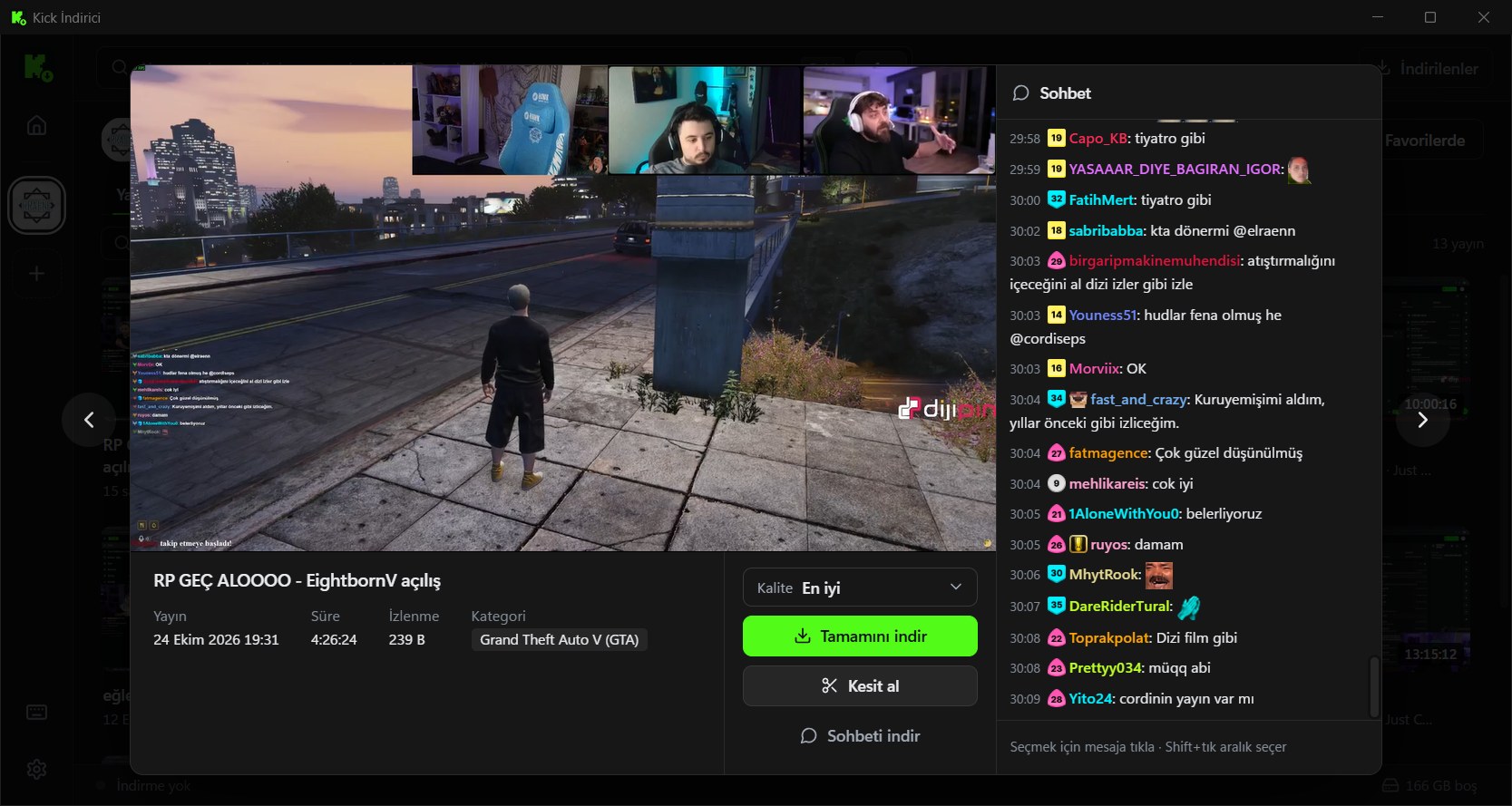
- Plays VODs, clips and live streams inside the app; speed and quality are picked in the player bar.
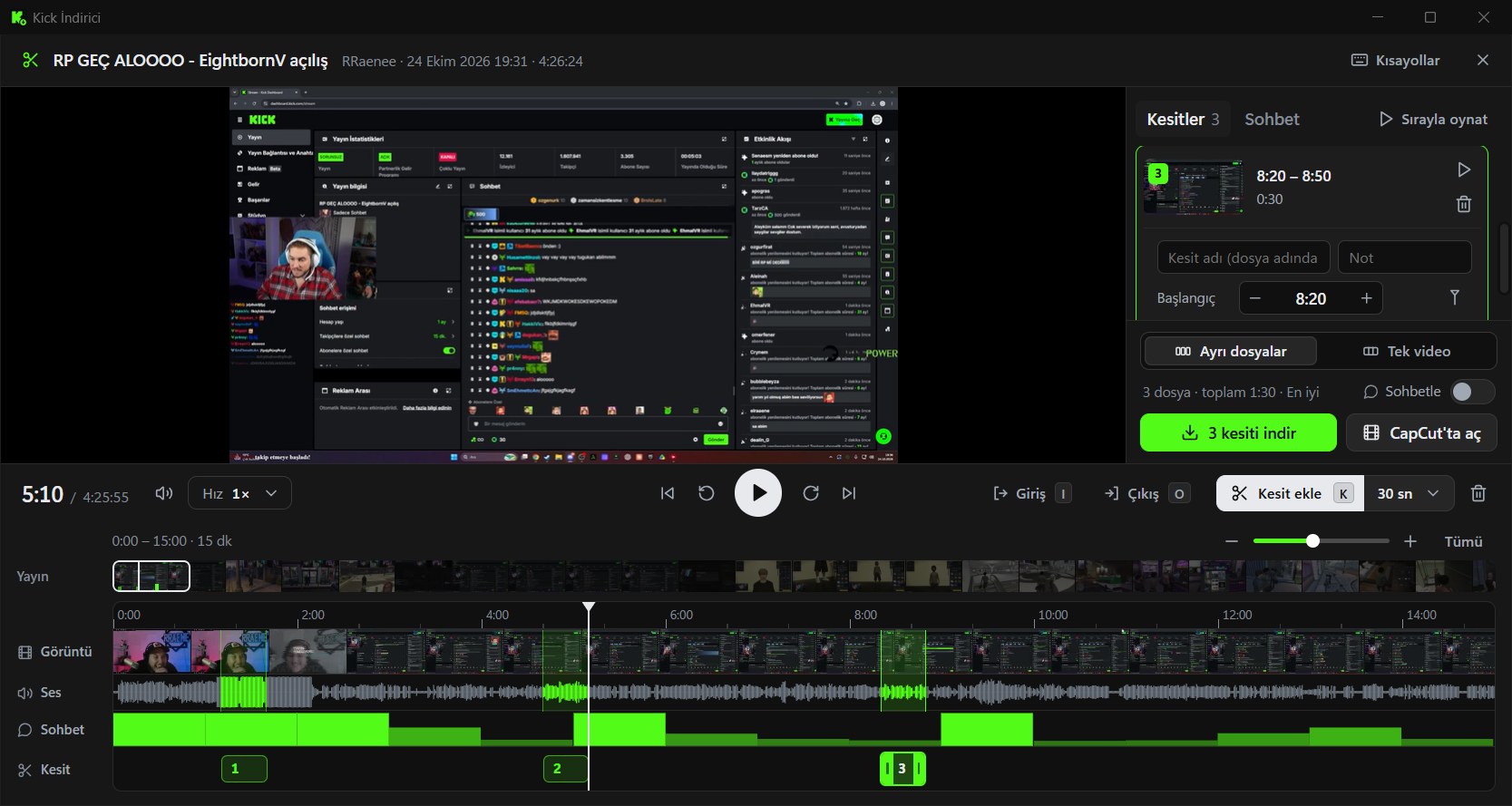
- Cut editor: zoomable timeline, frame strip, audio waveform and a chat activity track. Only the parts covering the chosen range are downloaded, so a 30-second cut from a 4-hour stream does not fetch 4 hours of data. Cuts can also be opened in CapCut.
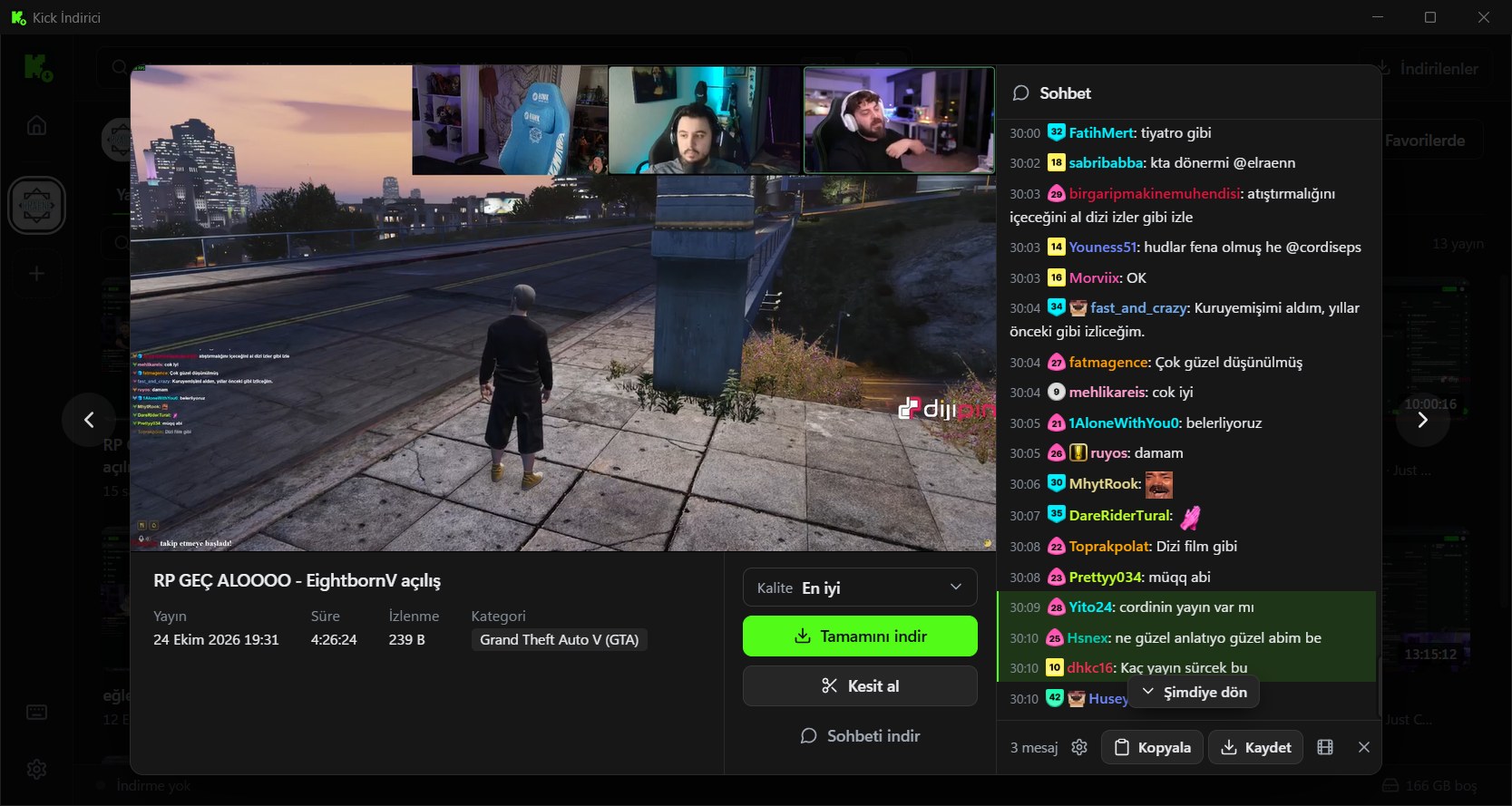
- Chat: a stream's chat runs beside the video in step with playback. Messages can be saved as PNG images; chat downloads as .ass, .txt, .json or .html; a green-screen .mp4 or transparent .webm chat video can be made.
- Download speed: how many videos download at once and how many connections each uses is tuned automatically from the total speed. It also has resume, a disk space check, live recording, a speed limit and sleep / shut down when the queue ends.
- The interface is English and Turkish and follows the Windows language. The app updates itself, downloading only the changed files.
The interface is HTML / CSS / JS and the engine is Python. pywebview (Edge WebView2) draws the window; downloads use yt-dlp, network requests use curl_cffi, and cutting and merging use ffmpeg. The installer is on the GitHub releases page; ffmpeg is included and no administrator rights are needed. The program is not signed yet, so Windows SmartScreen may show a warning.
Not affiliated with Kick; written for personal use. Anonymous usage data is sent only if you allow it.
Yorumlar
Projeni paylaştığın için teşekkürler. Turkish Developers topluluğunda üretimini görmek harika.
Yorum yazmak için giriş yap.